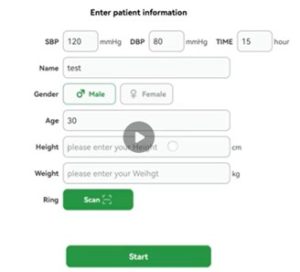
Step2:Initial Configuration Screen: Fill in User Information
Enter blood pressure and current time
Enter name
Select gender
Enter age
Enter height
Enter weight
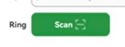
Click the green “Scan” button to scan the QR code on the ring and bind it.
Click the “Start” button to enter the data collection interface
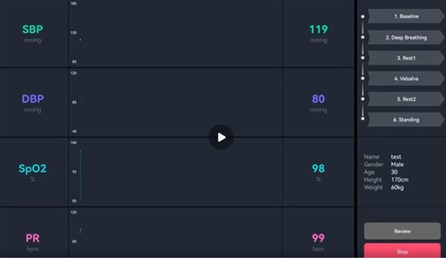
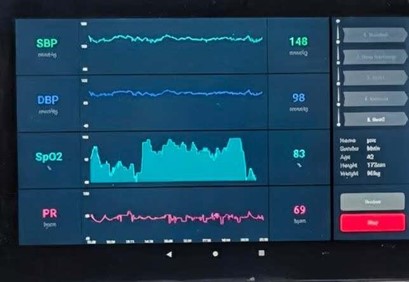
Wait for about 20 seconds for the ring data to be transmitted to the APP, as shown in the figure below.
Click the step1 Baseline
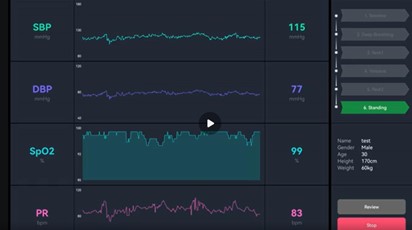
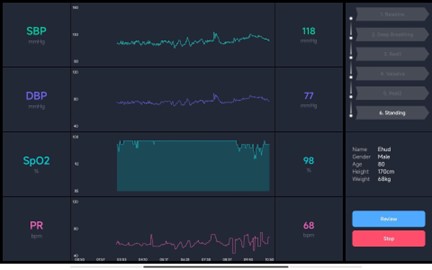
Click to collect for 2 minutes or longer for each step in sequence, until you reach the final step (Step 6), as shown in the figure below.
Step3:Stop Measuring
Click the red STOP button in the bottom right corner; at this point, the “6 Steps” bar will all turn gray.
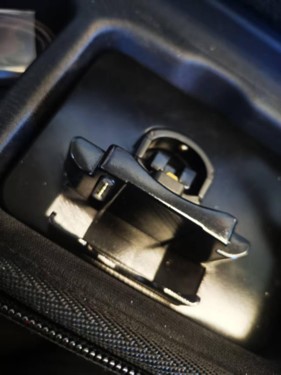
Note!!!: At this point, place the ring in the charging dock
Wait for about 20 seconds until the Review button turns blue.
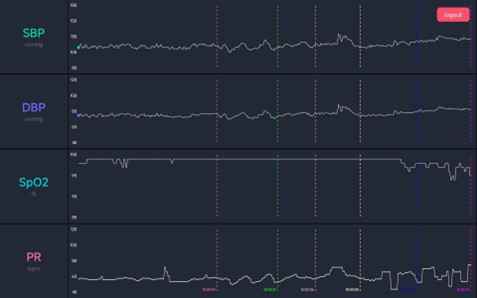
Click the Review button to enter the waveform playback interface. At this time, the data will be saved to the pad. Click the logout button in the top right corner to exit this collection session and finish